
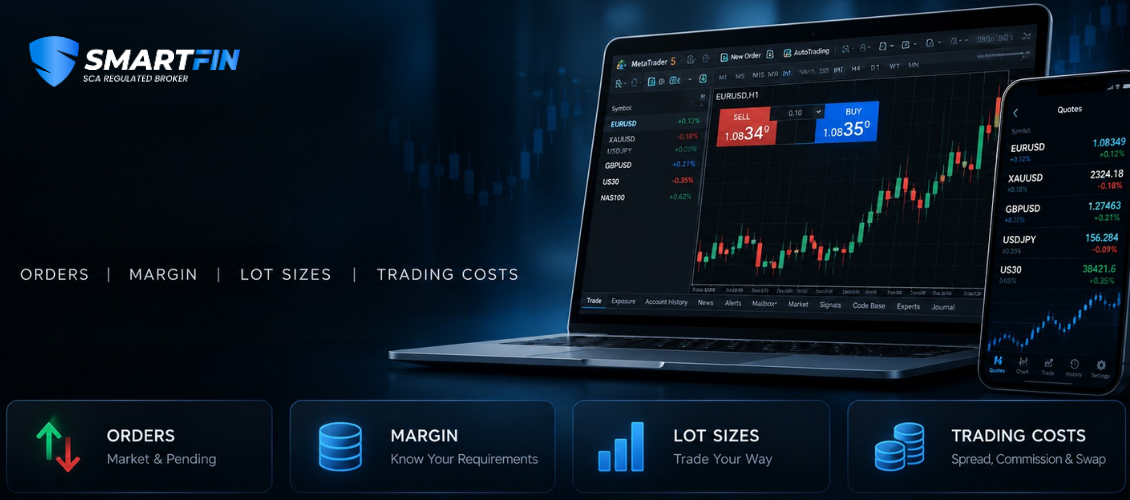
MetaTrader 5 (MT5) includes several concepts traders need to understand before placing and managing trades, including lot size, margin, free margin, margin level, pending orders, spreads, swaps and order execution.
Understanding MT5 Margin
Margin is the amount of funds required to support a leveraged position. On MT5, traders may also see figures such as equity, free margin and margin level.
These values are related, but they don't mean the same thing.
Understanding the difference is particularly important when managing multiple positions or deciding whether sufficient funds are available for another trade.
What Is Margin Level in MT5?
Margin level shows the relationship between account equity and used margin as a percentage.
A commonly used calculation is:
Margin Level = (Equity ÷ Used Margin) × 100
For example, if an account has $4,000 in equity and $1,000 in used margin:
($4,000 ÷ $1,000) × 100 = 400% margin level
As equity changes because of open-position profits or losses, the margin level can also change.
Free Margin vs Margin
Used margin and free margin describe different parts of an account's available resources.
Margin refers to funds allocated to support open leveraged positions.
Free margin broadly represents equity that is not currently being used as margin and may be available to support price movements or additional positions, subject to the broker's trading conditions.
Understanding this distinction helps explain why an account can have a positive balance but still be unable to open a particular position.
What Happens When Margin Level Reaches 100%?
A 100% margin level means account equity equals used margin according to the standard margin-level calculation.
However, traders should not assume that 100% automatically produces the same outcome with every broker or account type.
Margin-call and stop-out thresholds depend on the applicable account specifications and trading conditions.
Why Does MT5 Say “Insufficient Funds”?
An MT5 order can be rejected for insufficient funds when the account does not have enough available margin to support the requested position under the applicable trading conditions.
Possible factors include:
- position size
- available free margin
- instrument price
- leverage
- existing open positions
- current account equity
- instrument-specific margin requirements
The solution isn't necessarily to deposit more money. First determine why the required margin exceeds what is currently available.
Understanding Position Size
Position size determines the amount of market exposure associated with a trade.
In forex, position sizes are commonly expressed in lots.
Choosing a position size should not be based simply on how much margin the platform allows. Traders should also consider the amount they are prepared to risk if the market moves against the position.
What Does 0.01 Lot Mean?
In a standard forex contract, 0.01 lot is commonly referred to as a micro lot and generally represents 1,000 units of the base currency.
However, the financial impact of a 0.01-lot position depends on factors such as:
- instrument being traded
- current market price
- account currency
- contract specification
- distance to stop loss
This is why “0.01 lot” should not automatically be interpreted as a fixed amount of risk.
How Is Forex Lot Size Calculated?
Risk-based position sizing starts with a different question:
How much of the account am I prepared to risk if the trade is wrong?
A position-size calculation can consider:
Account risk → stop-loss distance → value per price movement → position size
For example, two traders can use the same stop-loss level but require different lot sizes because their account sizes or intended monetary risks are different.
Lot Size vs Risk
A larger position does not simply increase potential profit.
It also increases exposure to adverse price movement.
Position size should therefore be considered together with:
- account equity
- stop-loss distance
- market volatility
- instrument characteristics
- maximum acceptable loss
Margin availability tells you whether a position may be opened under the applicable conditions.
Risk management asks whether that position size is appropriate for your trading plan.
These are not the same question.
Understanding MT5 Order Types
MT5 provides different order types for entering the market immediately or requesting execution if price reaches a specified level.
Choosing the correct order type depends on what you expect price to do.
The four commonly discussed pending orders are:
Buy Limit
Sell Limit
Buy Stop
Sell Stop
MT5 also supports additional order functionality depending on the instrument and trading conditions.
Buy Limit vs Buy Stop
Both are pending buy orders, but they represent different trading ideas.
A Buy Limit is generally placed below the current market price when the trader wants to buy if price falls to a specified level.
A Buy Stop is generally placed above the current market price when the trader wants to buy if price rises to a specified level.
A simple way to remember the distinction:
Buy Limit → Buy lower
Buy Stop → Buy after price moves higher
MT5 Buy Limit vs Buy Stop Explained
Sell Limit vs Sell Stop
The same concept applies in reverse.
A Sell Limit is generally placed above the current market price.
A Sell Stop is generally placed below the current market price.
The correct order depends on the trader's intended entry condition rather than which order type sounds more familiar.
Market Order vs Pending Order
A market order requests execution based on the market conditions available when the order reaches the execution system.
A pending order is designed to become eligible for execution after specified price conditions are met.
A pending-order price should therefore not be confused with a guaranteed execution price.
Fast markets, gaps and available liquidity can affect actual execution.
Common MT5 Problems
Not every MT5 message means the platform is malfunctioning.
Many trading issues are related to market hours, available margin, instrument specifications, order parameters or rapidly changing market conditions.
Understanding the message before repeatedly attempting the order can help identify the underlying issue.
Why Does MT5 Say “Market Closed”?
A “Market Closed” message generally means trading is not currently available for that instrument.
Possible reasons include:
- weekend market closure
- instrument-specific trading hours
- daily trading breaks
- market holidays
- temporary changes to the trading schedule
Different instruments can have different trading sessions, so one market being available does not necessarily mean every instrument can currently be traded.
Why Was My MT5 Order Rejected?
An order can fail for several reasons.
Examples may include:
- insufficient available margin
- invalid order parameters
- incorrect pending-order placement
- trading being unavailable for the instrument
- volume outside permitted limits
- price changing during fast conditions
- restrictions associated with the account or instrument
The exact MT5 message or error should be checked before determining the cause.
Why Did My Stop Loss Execute at a Different Price?
A stop loss specifies a level at which an order is triggered according to the applicable order and execution rules. It should not automatically be interpreted as a guarantee that the position will always close at that exact price.
During normal liquid conditions, the difference may be small.
During periods of rapid price movement, reduced liquidity, market gaps or major economic announcements, the next available executable price may differ from the stop level.
This difference is commonly associated with slippage.
MT5 Trading Costs
Understanding the platform also means understanding the potential costs associated with a position.
Depending on the account, instrument and trading conditions, these can include:
Spread — the difference between bid and ask prices.
Commission — a separate transaction charge where applicable.
Swap / overnight financing — a credit or charge that may apply when eligible positions remain open across the relevant rollover period.
Slippage — a difference that can occur between the expected/requested price and actual execution price as market conditions change.
These costs can affect trading strategies differently.
A small change in execution cost may be particularly important to a short-term strategy targeting relatively small price movements.
→ Read: What Is Spread in Forex?
→ Read: How Are Forex Swaps Calculated?
→ Read: What Is Slippage in Forex Trading?
Quick MT5 Questions
Is MT5 the same as a broker?
No. MetaTrader 5 is a trading platform developed by MetaQuotes. A broker can provide access to financial instruments through MT5, subject to the broker's products and trading conditions.
Does MT5 determine leverage?
Not by itself. Available leverage and margin requirements depend on the broker, account, instrument and applicable trading conditions.
Does 0.01 lot always have the same risk?
No. Risk depends on the instrument, price movement, position size, contract specifications and where the trade would be closed if the market moves against the position.
Can an MT5 stop loss experience slippage?
Execution can differ from the specified stop level during certain market conditions, particularly when prices move quickly or gap between available prices.
Why can my margin level change while I am not placing new trades?
Because account equity can change as the unrealized profit or loss of open positions changes. Since equity is part of the margin-level calculation, the percentage can move even when used margin remains unchanged.
Explore the SmartFin MT5 Knowledge Centre
If you're learning MetaTrader 5, you don't need to understand every platform feature at once.
Start with the concepts that directly affect how positions are opened and managed:
Margin & Equity
Understand margin, free margin, and margin level.
→ Explore MT5 Margin Guides
Lot Size & Position Sizing
Understand what lot sizes represent and how position size affects exposure.
→ Explore Position-Sizing Guides
Orders
Understand market orders, pending orders, stops and limits.
→ Explore MT5 Order Guides
Execution & Trading Costs
Understand spreads, swaps, slippage and how orders are executed.
→ Explore Trading Cost & Execution Guides
MT5 Troubleshooting
Understand common messages including insufficient funds, market closed and rejected orders.
→ Explore MT5 Troubleshooting Guides
The objective isn't simply to learn where the Buy and Sell buttons are.
Understanding margin, position sizing, order behaviour, execution and trading costs can help traders make more informed decisions about how they use the platform.
Risk Warning: Trading leveraged financial products involves significant risk and may not be suitable for all investors. This material is provided for general educational purposes only and does not constitute investment advice, a recommendation, or an offer to buy or sell any financial instrument.